← All features
Know which work actually pays.
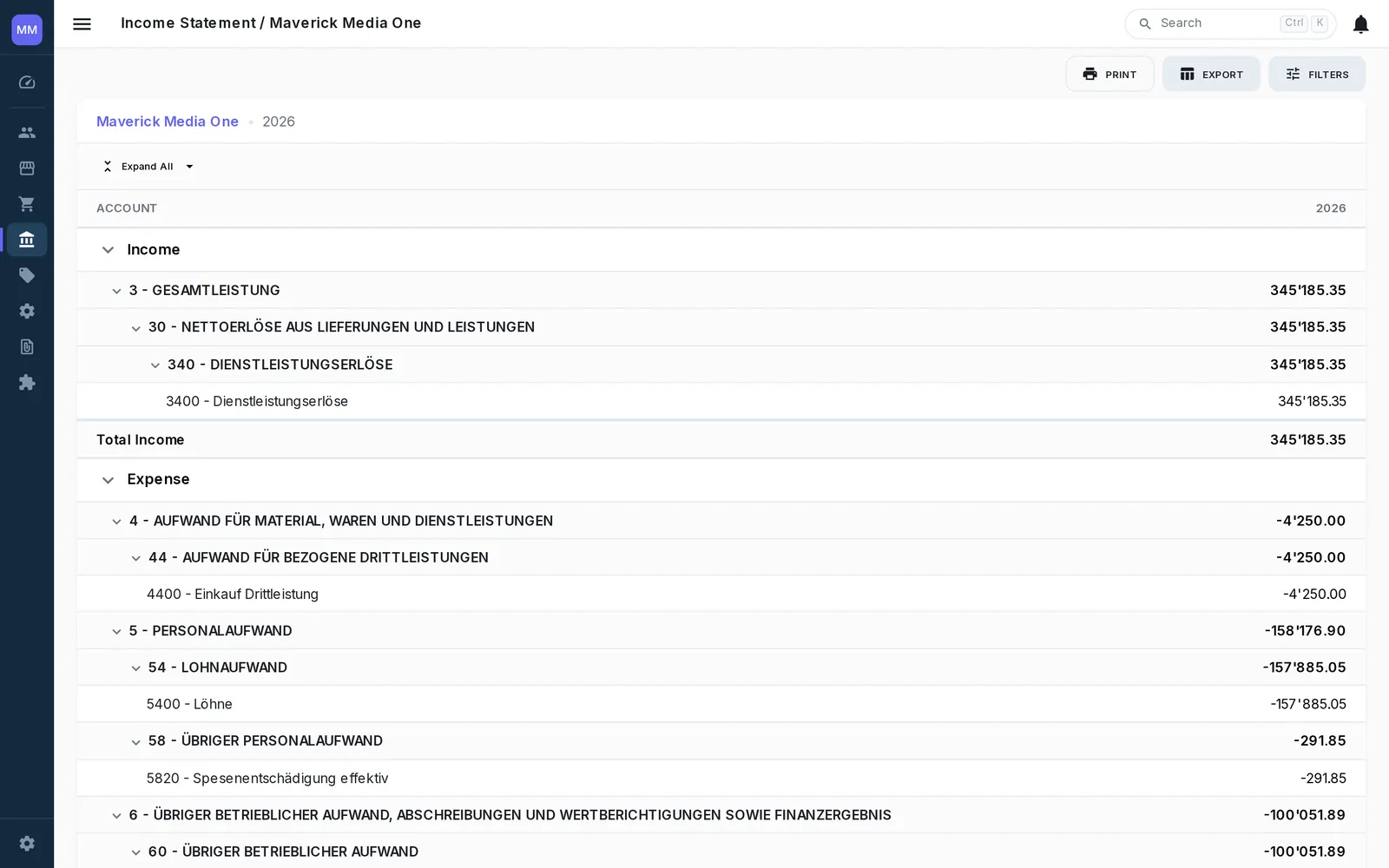
Tag revenue and costs at line level with projects and cost centers — one invoice can split across several — and the income statement answers the question every service business argues about: which engagements carry the company, and which just feel busy.

01 · Tag
Allocation where the work happens.
Projects and departments are picked right on the invoice or journal line — not reconstructed at quarter end from memory. A bill for shared infrastructure? Split it across three projects on one screen, and the books stay balanced by construction.
- Line-level project and department tagging on AR, AP and journal
- One document split across multiple projects
- Departments double as cost centers for teams and locations
02 · Read
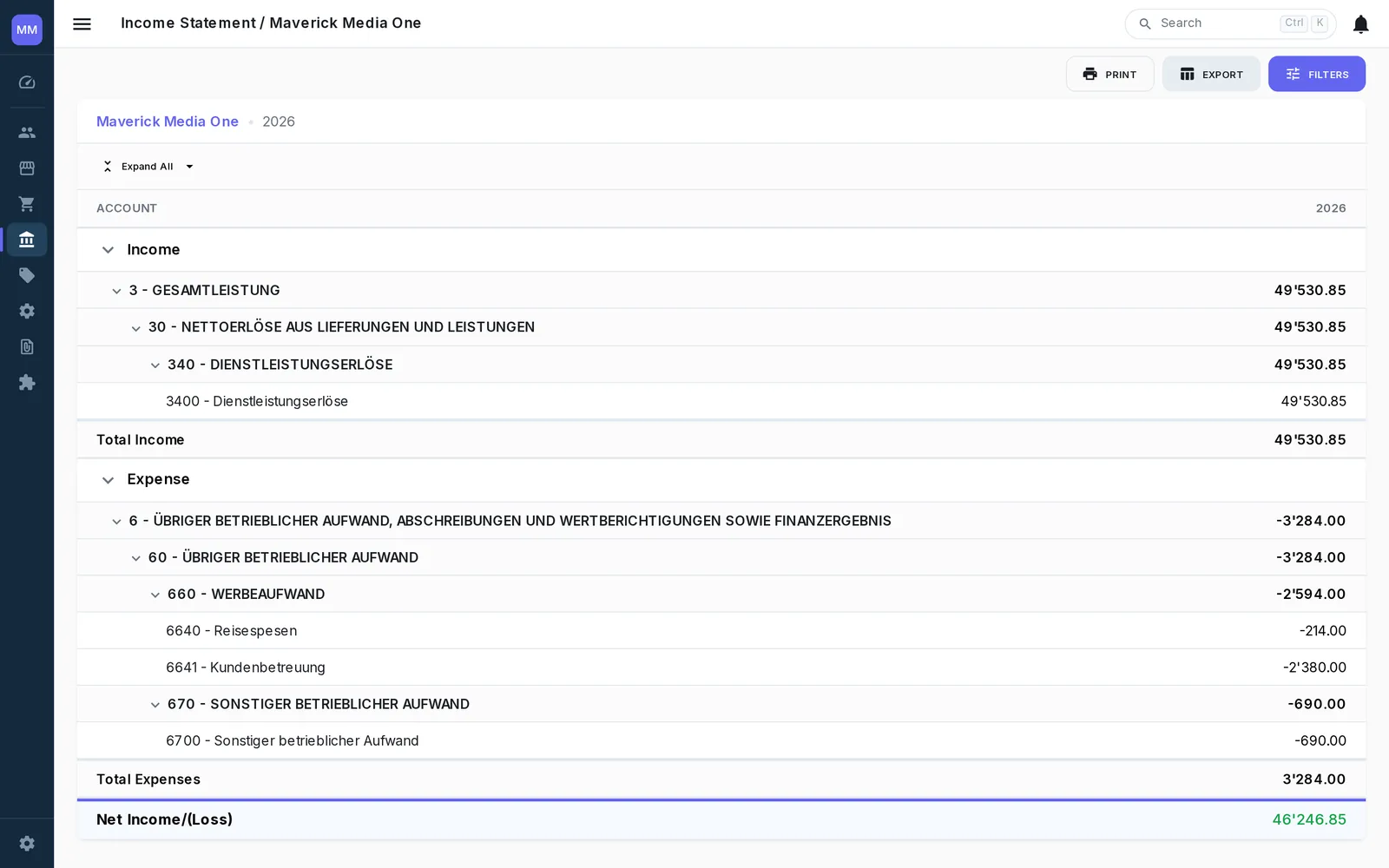
A P&L per project, next to the total.
Run the income statement filtered to one project or several side by side, compare against the whole company, and see margin per engagement instead of one blended number. The dashboard widget keeps current project profitability one glance away.