Accounting with Claude and ChatGPT.
Answers straight from your accounting. Nothing changes until you confirm it in the chat.
Connect neoo to the AI assistant you already use. Ask about open invoices, cash or VAT, and have entries, payments and invoices prepared. Made for Swiss SMEs and fiduciaries.
Included in every neoo plan
- Claude
- ChatGPT
- Claude Code
- any MCP client
How much is in our bank accounts, and which supplier bills fall due by the end of October?
Once everything due by 31.10. is paid, CHF 146’755.95 remains:
| CHF | |
|---|---|
| UBS · 1020 | 184’320.55 |
| PostFinance · 1021 | 23’915.40 |
| Due by 31.10. · 7 bills | −61’480.00 |
| Remaining | 146’755.95 |
The largest bill is Druckerei Aarberg AG, CHF 9’850.00, due on 28.10. Shall I list all seven?
How much did we spend on software in September?
CHF 3’482.40 across 9 bills:
| Supplier | CHF |
|---|---|
| Adobe | 1’032.00 |
| Atlassian | 864.00 |
| Google Workspace | 672.00 |
| Other (6) | 914.40 |
| Total | 3’482.40 |
That’s 12 % more than in August — mostly the annual Adobe licence.
Which customers are more than 30 days overdue?
Three customers, CHF 24’655.50 in total:
| Customer | Invoice | Overdue | CHF |
|---|---|---|---|
| Alpwerk Architektur GmbH | R-2026-0119 | 48 days | 12’480.00 |
| Seeblick Catering AG | R-2026-0127 | 41 days | 8’260.50 |
| Studio Nord GmbH | R-2026-0131 | 35 days | 3’915.00 |
Shall I prepare the first reminder for all three? You’ll see every e-mail before it goes out.
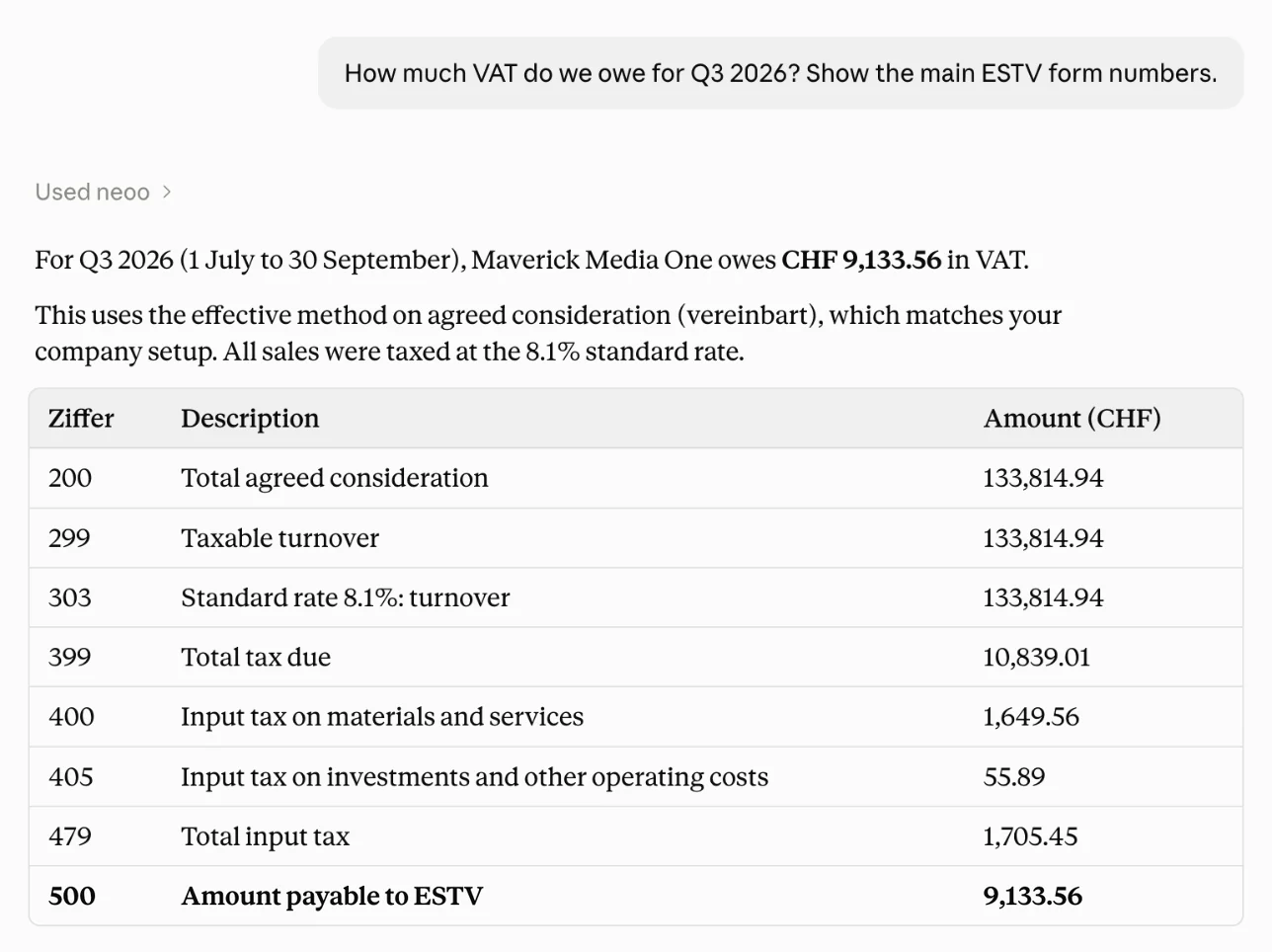
Prepare the VAT return for Q3 2026.
Here is Q3 2026 with the ESTV form numbers:
| No. | Item | CHF |
|---|---|---|
| 200 | Total revenue | 412’300.00 |
| 220 | Exempt supplies (exports) | 13’350.00 |
| 299 | Taxable revenue | 398’950.00 |
| 303 | Output tax 8.1 % | 32’314.95 |
| 479 | Total input tax | 11’959.95 |
| 500 | VAT payable | 20’355.00 |
The figures match the VAT report in neoo. Want the input-tax postings behind no. 479?
Book October’s rent: CHF 4’200 to Immo Seeland AG, paid from the bank.
Here is the entry:
| Account | Debit | Credit |
|---|---|---|
| 6000 Rent | 4’200.00 | |
| 1020 Bank | 4’200.00 |
No VAT · debit equals credit
Reply “yes” and I’ll book it.
Yes, book it.
Booked as GL-2026-0412. It’s in the audit log under your name.
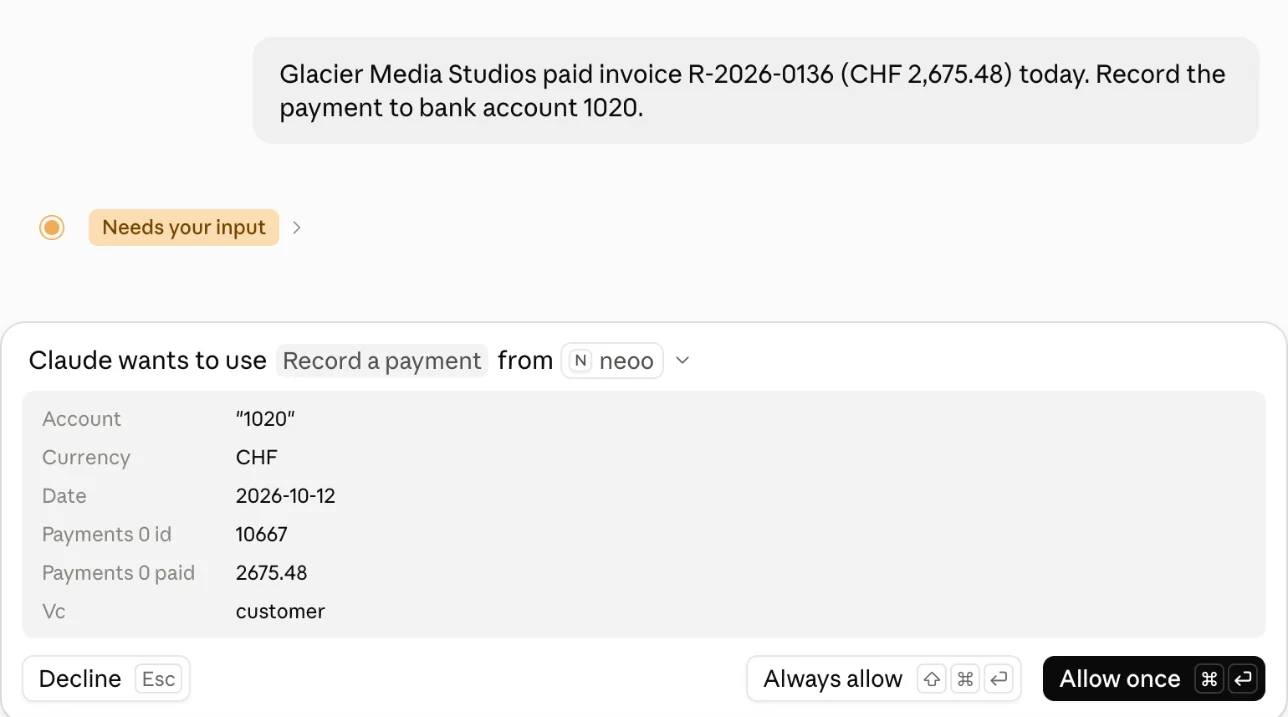
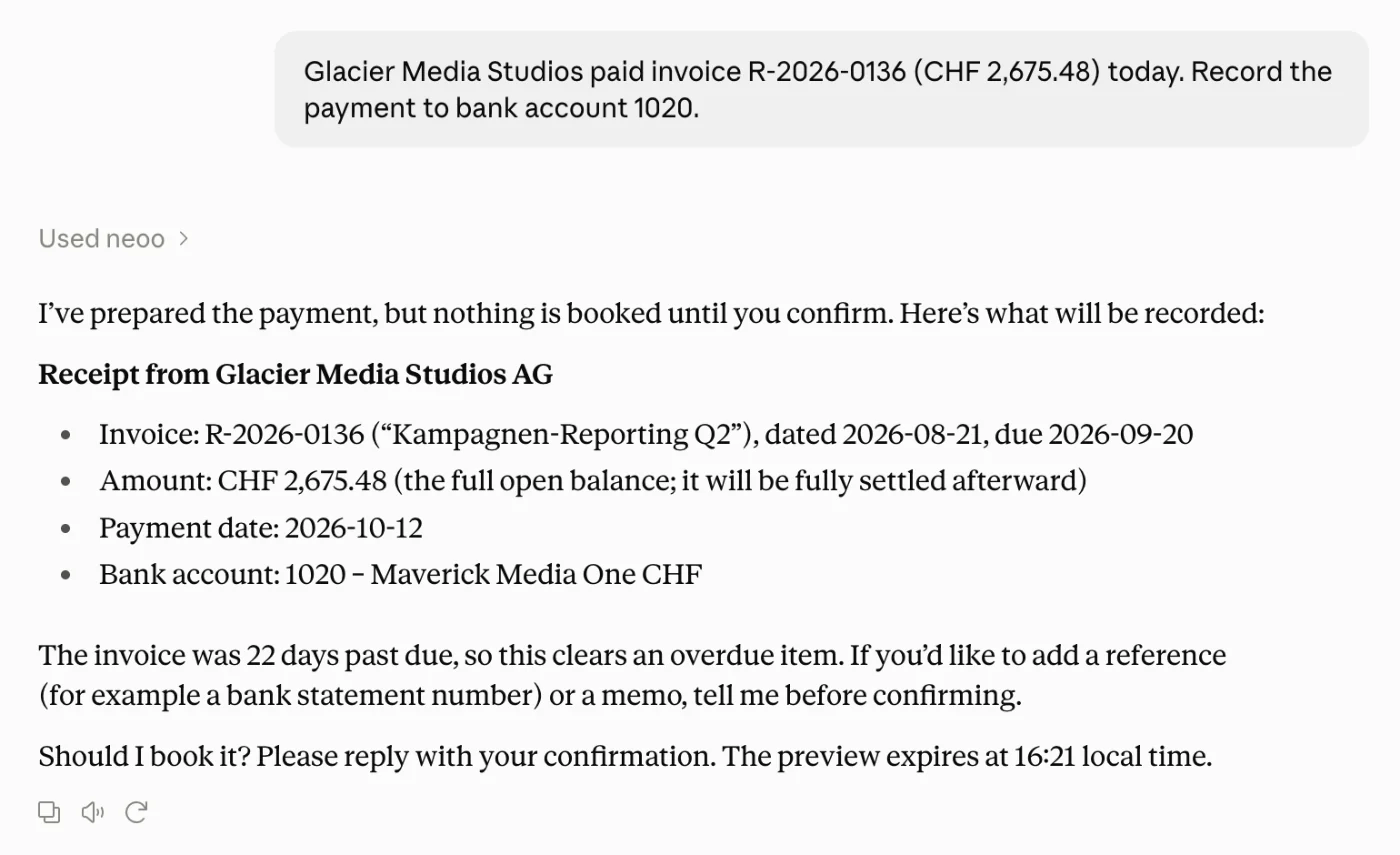
Seeblick Catering paid CHF 8’260.50 today — record it against R-2026-0127.
Here is the payment:
| Item | CHF |
|---|---|
| Open amount | 8’260.50 |
| Payment to 1020 Bank | −8’260.50 |
| Open afterwards | 0.00 |
Reply “yes” and I’ll record it.
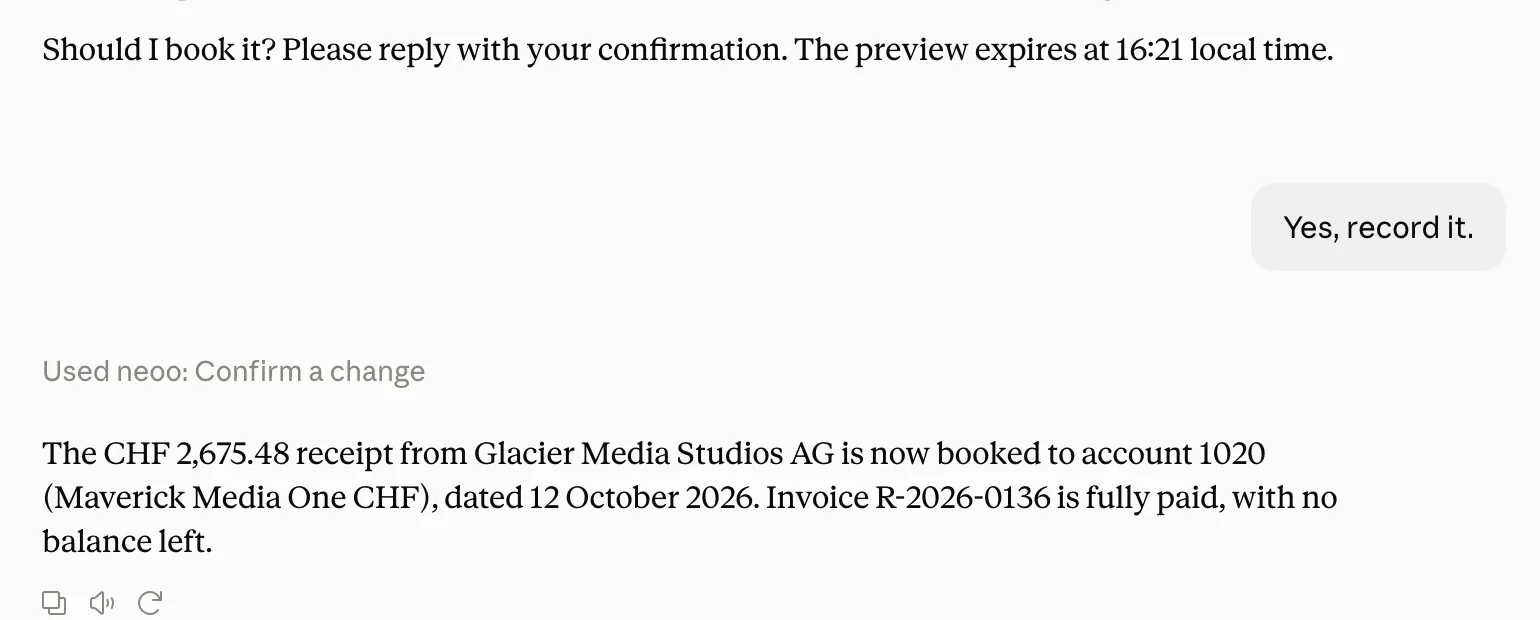
Yes, record it.
Recorded. R-2026-0127 is paid in full — Seeblick Catering has nothing open any more.
What working with AI in your books looks like.
No new software to learn. You work in the chat you already know, neoo supplies the figures and books only what you approve.
Just ask, out loud if you like.
Use your favourite AI app to talk through your accounting or ask a quick question, typed or spoken. The answers come from neoo.
 Illustrative image
 Ask the way you’d ask your accountant.
The assistant pulls reports and data straight from neoo instead of doing the maths itself. A few everyday examples:
Results & reporting
- What did we spend on software this year?
- What’s our gross margin since January?
- How has account 1020 moved since July?
- Which projects made a loss in Q3?
Customers & suppliers
- Which customers are more than 30 days overdue?
- Which supplier bills fall due next week?
- What’s waiting on our workstations?
- Which Druckerei Aarberg bills are still open?
VAT & closing
- Prepare the VAT return for Q3 with the ESTV numbers.
- List the input-tax postings for September.
- Show the trial balance as at 30 June.
- Which fiscal years are already closed?
Booking & invoicing
- Book October’s rent to account 6000.
- Defer the 2027 insurance premium we paid in December.
- Move these 12 Swisscom bills to account 6510.
- Send Alpwerk the first reminder for R-2026-0119.
Contacts & documents
- Set Seeblick Catering’s payment terms to 10 days.
- Update Studio Nord’s billing e-mail address.
- Show me the PDF of September’s Swisscom bill.
- Put this receipt into the AI inbox.
Nothing changes without your yes.
Reading is instant. Anything that would change your books runs in three steps and follows the same rules as in neoo.
- 1
A preview first
You see the exact entry with accounts, amounts and VAT, every transaction that would change, or the recipient and text of an e-mail.
- 2
Your written confirmation
You confirm in the chat, for example “Yes, change all 12.” If the data changed in the meantime, you get a new preview.
- 3
Carried out by neoo’s rules
Closed periods, unique numbers, your posting rights and workstation approval limits apply as in neoo. Every change lands in the audit log under your name.
Move all Swisscom bills from September to account 6510.
12 bills found. Here’s the change:
| Bill | Date | Account |
|---|---|---|
| SC-88412 | 02.09.2026 | |
| SC-88413 | 02.09.2026 | |
| SC-88977 | 09.09.2026 | |
| SC-89120 | 16.09.2026 |
+ 8 more
Yes, change all 12.
Connected without installing anything.
An admin switches it on, then you sign in with your neoo account, including two-factor authentication. Passwords and API keys never go into the chat.
Switch on AI connections
An owner or admin switches them on once under System → Management → AI connections and copies the company’s server URL.
Add neoo as a connector
In Claude, ChatGPT or another assistant, add the URL as a custom connector. Every company (Mandant) has its own URL.
Sign in and choose access
neoo shows who is asking. Per area you choose: no access, read, or read and change. The bank stays off unless you pick it.
Built for books that have to be right.
Who may connect, what the assistant sees and what it may change is decided in neoo, not in the chat.
One company per connection
A connection is bound to the company in its URL. The assistant never sees another Mandant.
Owners and admins only
AI connections are off by default. Only owners and administrators switch them on and connect.
Access per area
For accounting, invoices, contacts, bank and documents you choose: no access, read, or read and change.
Sign-in through neoo
OAuth sign-in with your second factor. No password or API key ever goes into the chat.
Numbers from neoo, not estimates
The assistant runs neoo’s reports, such as the trial balance, P&L, balance sheet and VAT return, instead of adding things up itself.
Same rules as in neoo
Closed periods, number ranges, posting rights and approval limits apply to every change.
Every change on record
Every change appears in the audit log under your name, like any change you make in neoo.
Disconnect any time
End a connection in your profile or for the whole company. Unused connections end after 90 days.
What is an MCP server?
The Model Context Protocol (MCP) is an open standard that lets AI assistants work securely with other software, and only with your permission. Claude, ChatGPT and many other AI tools support it.
neoo runs its own MCP server. Through it, your assistant reads reports, invoices, contacts, bank transactions and documents, with the same data you see in neoo. What it may access, you decide when you sign in.
That includes the Swiss chart of accounts, the VAT return with the ESTV form numbers and QR bills.
Standard MCP, fully documented.
Streamable HTTP, OAuth 2.1 with PKCE, client ID metadata documents and dynamic client registration. Around 40 tools across accounting, invoices, contacts, bank and documents, described by the server itself.
MCP documentation →$ claude mcp add --transport http neoo <server-url>- Transport
- Streamable HTTP
- Sign-in
- OAuth 2.1 + PKCE
- Tools
- ≈ 40
- Scope
- one company per URL
Questions about AI assistants.
What you should know before you connect ChatGPT, Claude or another AI assistant to your books.
What is the neoo MCP server?
It is the interface through which AI assistants such as Claude and ChatGPT work with your neoo accounting. MCP (Model Context Protocol) is the open standard behind it. You add your company’s server URL to the assistant as a connector, sign in with neoo and choose what the assistant may access.
Can I use ChatGPT for my accounting?
Yes, through the neoo MCP server. Whether ChatGPT can add your own MCP server depends on the plan: OpenAI currently offers it, including changes, on Business and Enterprise; Pro connects read-only (as of October 2026).
Claude works on the web, in the desktop and mobile apps and in Claude Code. Custom connectors are available on every Claude plan; the free plan allows one.
Other assistants and developer tools that support remote MCP servers with OAuth sign-in work too. Menus differ between products and change often; the setup guide shows where to add the connector.
Will the assistant book anything without asking me?
No. Anything that would change data is shown to you as a preview first and is only carried out after your written confirmation in the chat. Nothing can be deleted through the connection.
Can the AI get the numbers wrong?
The figures themselves come from neoo: the assistant runs the same reports you see in neoo. How it summarises or interprets them is the AI’s own work, so check important conclusions in neoo, just as you would with a colleague’s summary.
Do AI connections cost extra?
No. AI connections are part of every neoo plan. For the assistant itself you use your own plan with the AI provider — one that allows custom connectors, see above.
What data does the AI provider see?
Whatever the assistant reads from neoo is sent to the AI provider you use — Anthropic for Claude, OpenAI for ChatGPT — and handled under their terms and your account settings there. Only connect assistants your company is happy to share accounting data with, and grant only the areas you need.
Who can set up a connection?
AI connections are off by default. An owner or admin switches them on for the company; after that, owners and admins can connect their assistant. Other users can’t connect, whatever their role.
We’re a fiduciary with several client companies. Can we connect all of them?
Yes. Every company (Mandant) has its own server URL. Add each one as a separate connector and name it after the company — each connection stands on its own and only ever sees its company.
Can I upload receipts through the assistant?
Yes, with “read and change” access to documents. PDFs, PNGs and JPEGs up to 10 MB go into the AI inbox and run through the same processing and workstation review as any other upload — nothing is booked automatically.
How do I disconnect an assistant?
Under My profile → AI connections you see every assistant you connected and can disconnect it immediately. Owners and admins see all connections of the company under System → Management → AI connections; switching AI connections off disconnects them all.